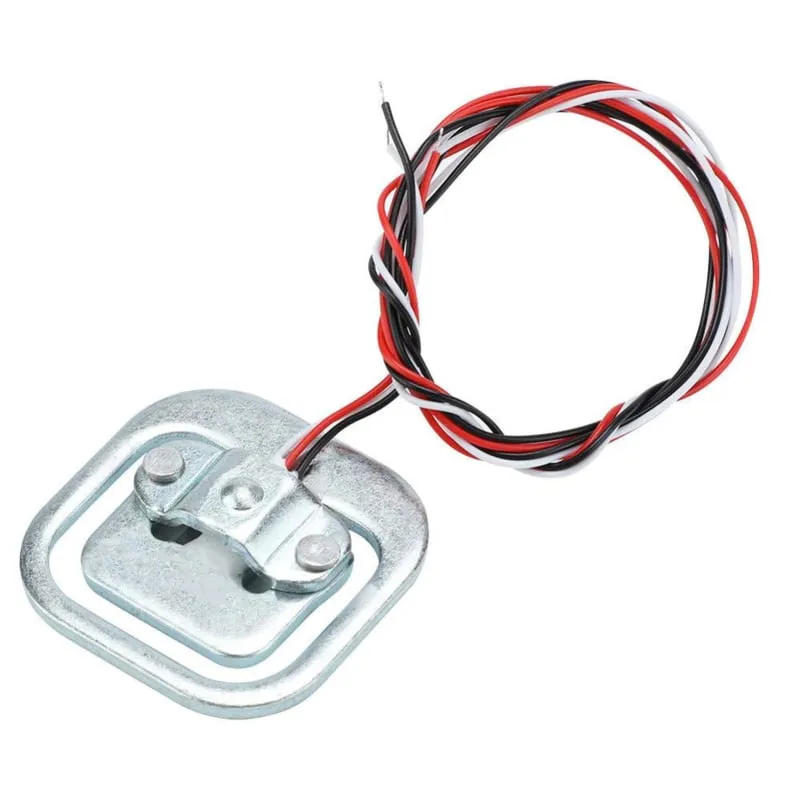
SKU: OT3243 Numéro d’article: AB098 EAN: 8720618231314

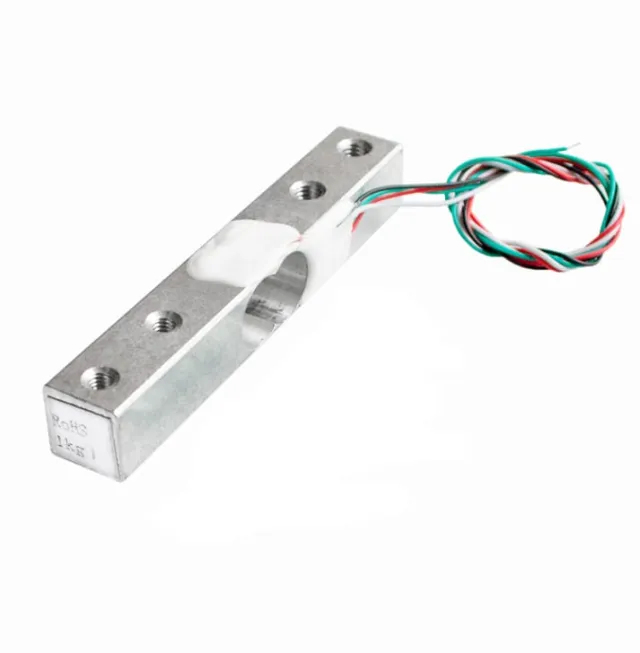
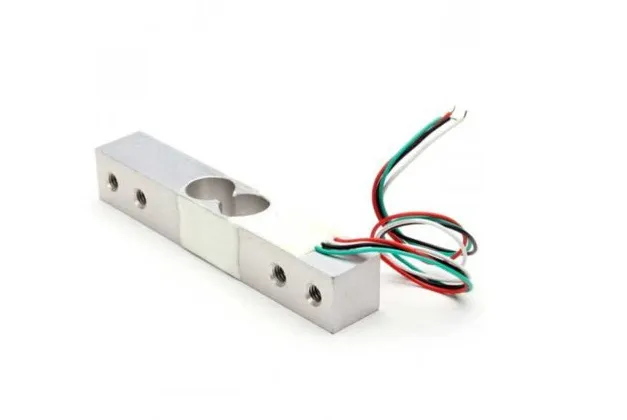
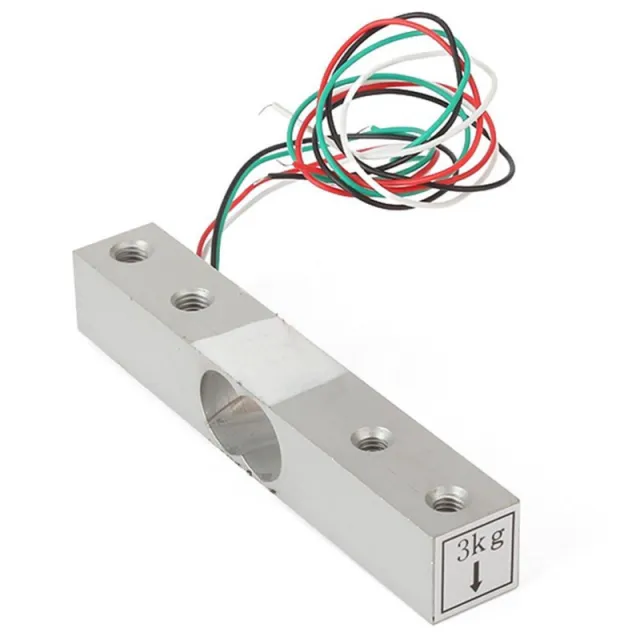
Cette cellule de charge ou capteur de poids peut supporter un poids jusqu’à 50KG. Si vous souhaitez peser un poids plus élevé, il est possible de combiner le capteur. Par exemple, en utilisant 4 cellules de charge de 50KG, le poids maximal devient 200KG.
Matériau : Aluminium
Capacité : 50KG
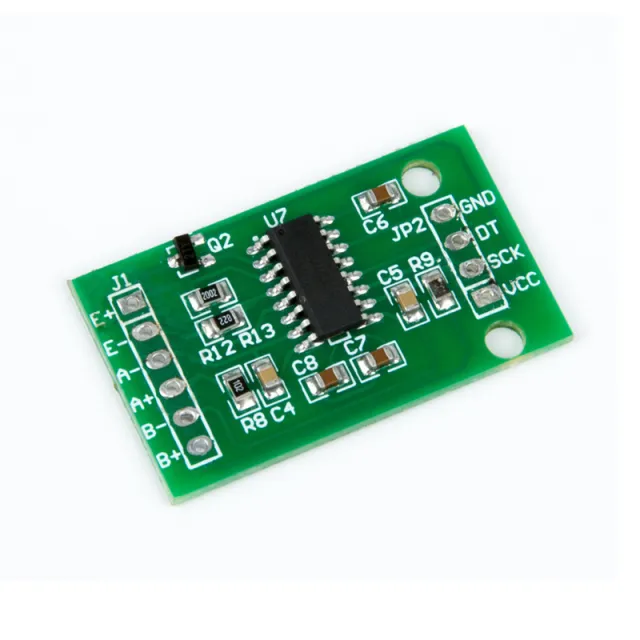
À utiliser avec Arduino, ESP32 ou ESP8266 en combinaison avec le module amplificateur de cellule de charge HX711.
Dimensions
Longueur : 3,88cm
Largeur : 3,88cm
Hauteur : 1,21cm
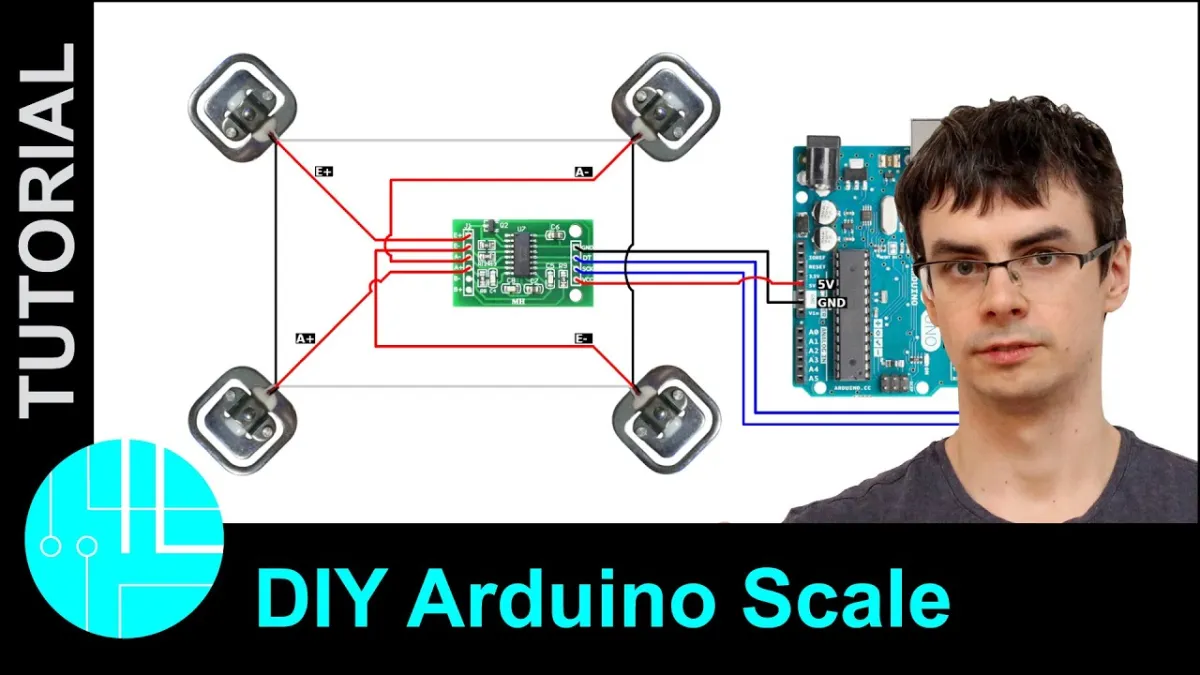
La lecture charge la vidéo depuis YouTube.
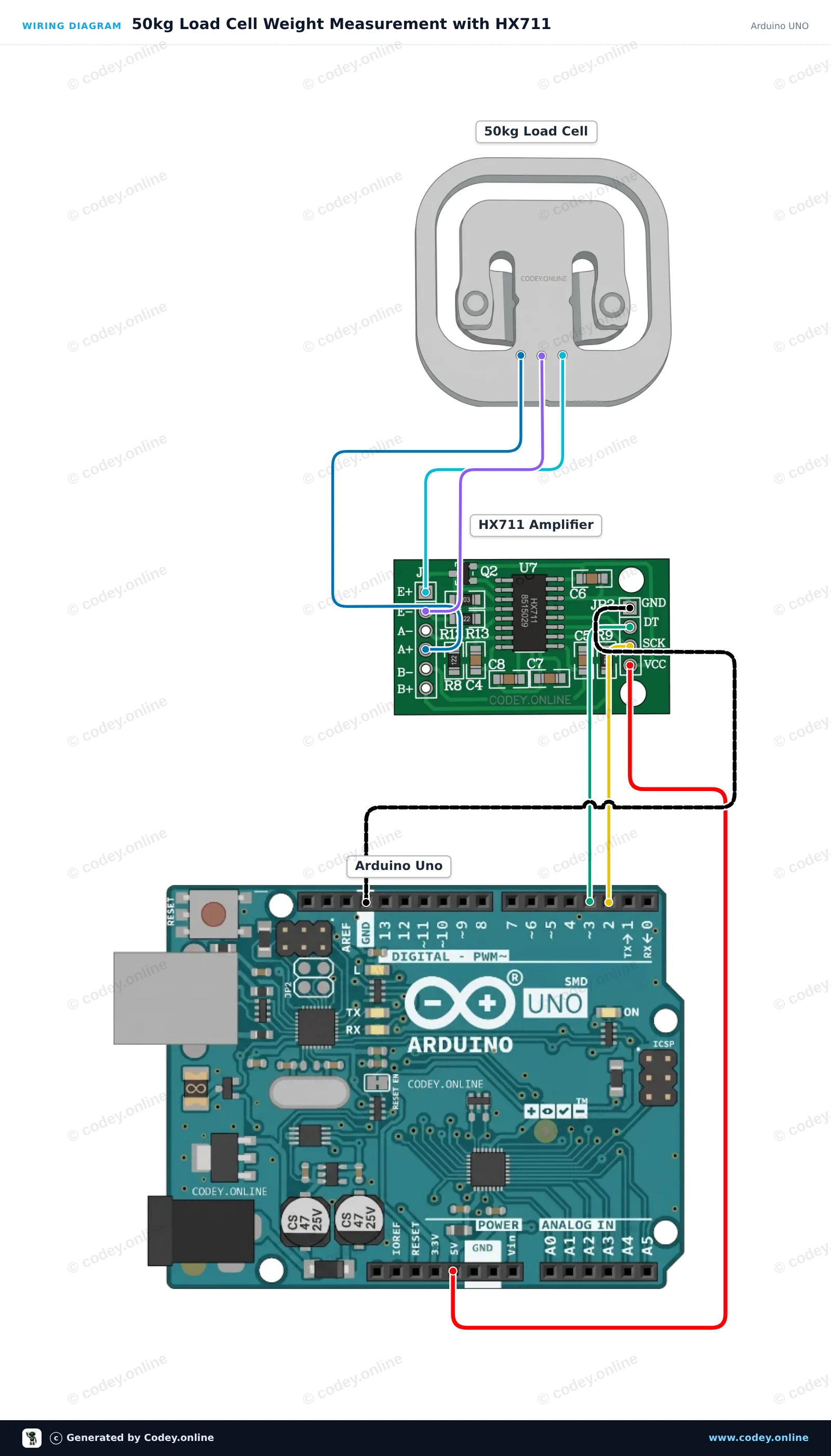
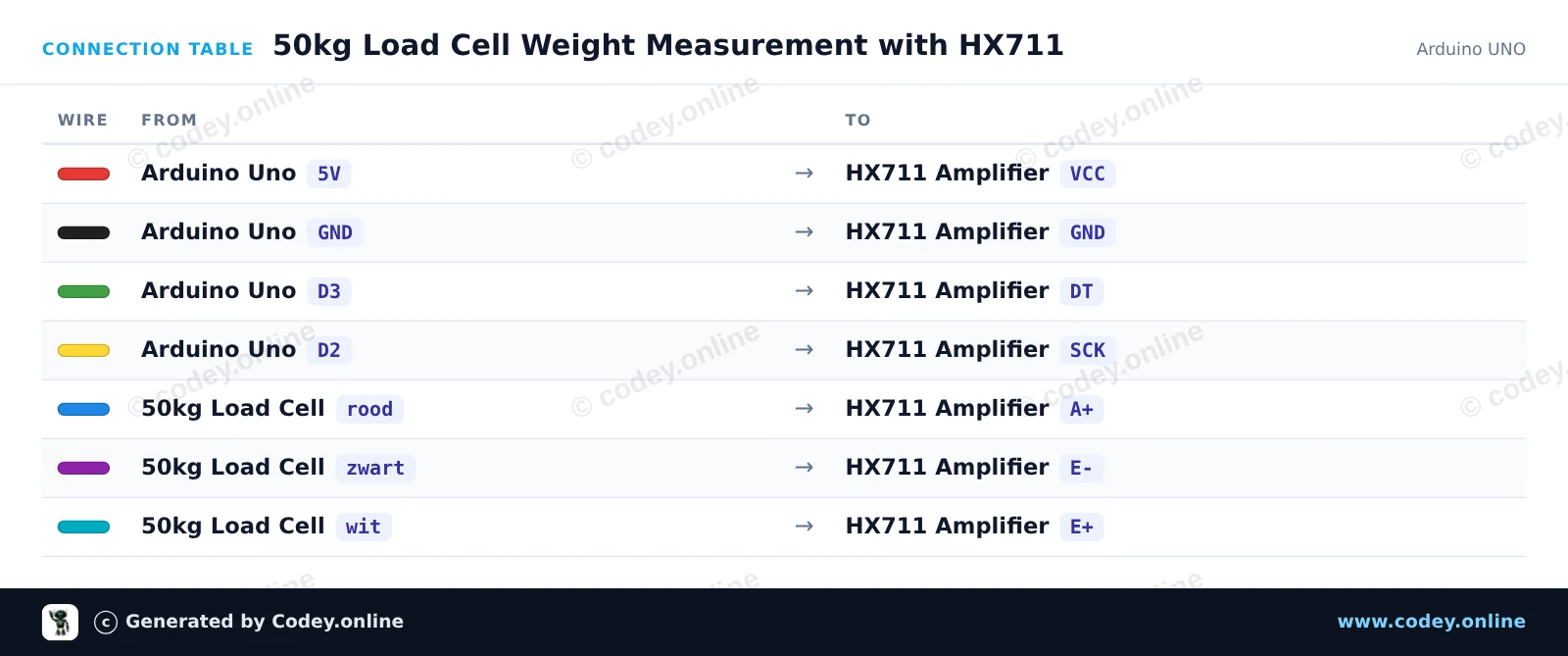
Voici comment connecter le Capteur de poids jusqu’à 50 kg à un Arduino UNO ou à un ESP32, avec un exemple de sketch que tu peux téléverser directement.
Ce projet mesure le poids à l’aide d’une cellule de charge 50kg connectée à une Arduino Uno via un module amplificateur HX711. Le sketch tare la balance au démarrage et affiche en continu le poids mesuré dans le Serial Monitor. Vous pouvez calibrer la mesure en ajustant le facteur de calibration avec un poids connu.
/*
 * ==================================================================
 *  Generated by Codey.online  —  https://www.codey.online
 * ==================================================================
 *  Project   : 50kg Load Cell Weight Measurement with HX711
 *  Board     : Arduino UNO (arduino:avr:uno)
 *  Parts     : 50kg Load Cell Weight Sensor
 *  Libraries : HX711 Arduino Library 0.7.5
 *
 *  Codey Online is an AI-powered browser IDE for Arduino and ESP32.
 *  Describe your project and Codey writes the code, draws the wiring
 *  diagram and uploads it to your board, straight from the browser.
 *  This code is free to use, modify and share, without warranty.
 * ==================================================================
 */

#include "HX711.h"

const int LOADCELL_DOUT_PIN = 3;
const int LOADCELL_SCK_PIN = 2;

HX711 scale;

// Adjust this calibration factor after testing with a known reference weight
float calibration_factor = -7050.0;

void setup() {
  Serial.begin(115200);
  while (!Serial) {
    ; // Wait for serial port to connect
  }

  Serial.println(F("--- HX711 Load Cell Scale ---"));
  Serial.println(F("Initializing scale, do not place weight on the sensor..."));

  scale.begin(LOADCELL_DOUT_PIN, LOADCELL_SCK_PIN);
  scale.set_scale(calibration_factor);
  scale.tare(); // Reset the scale to 0

  Serial.println(F("Tare complete. Ready for measurements."));
}

void loop() {
  if (scale.is_ready()) {
    float weight = scale.get_units(5);
    Serial.print(F("Weight: "));
    Serial.print(weight, 2);
    Serial.println(F(" units"));
  } else {
    Serial.println(F("HX711 not ready."));
  }

  delay(500);
}Bibliothèques nécessaires : HX711 Arduino Library 0.7.5
Wiring diagram and example code generated by Codey.online — https://www.codey.online
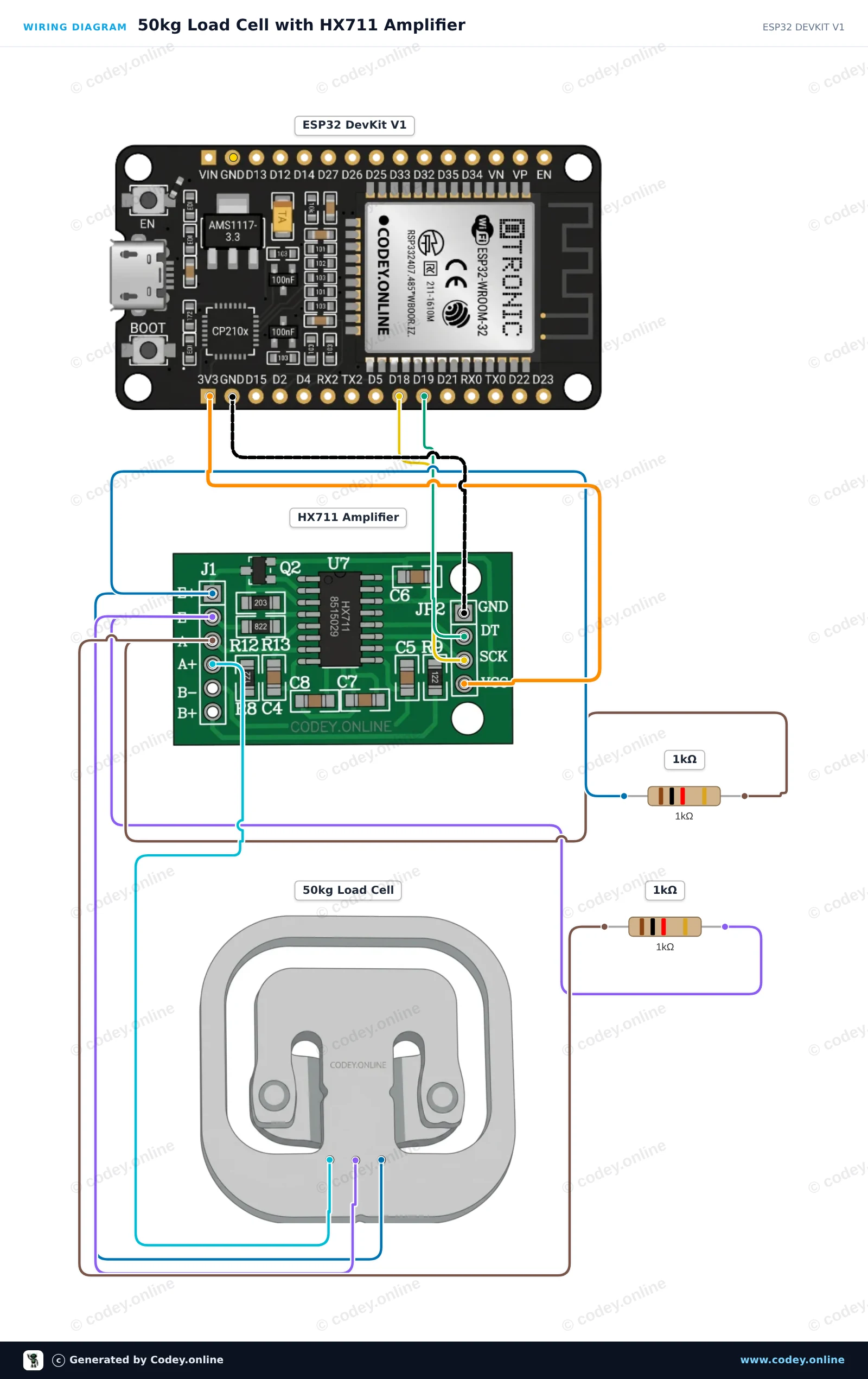
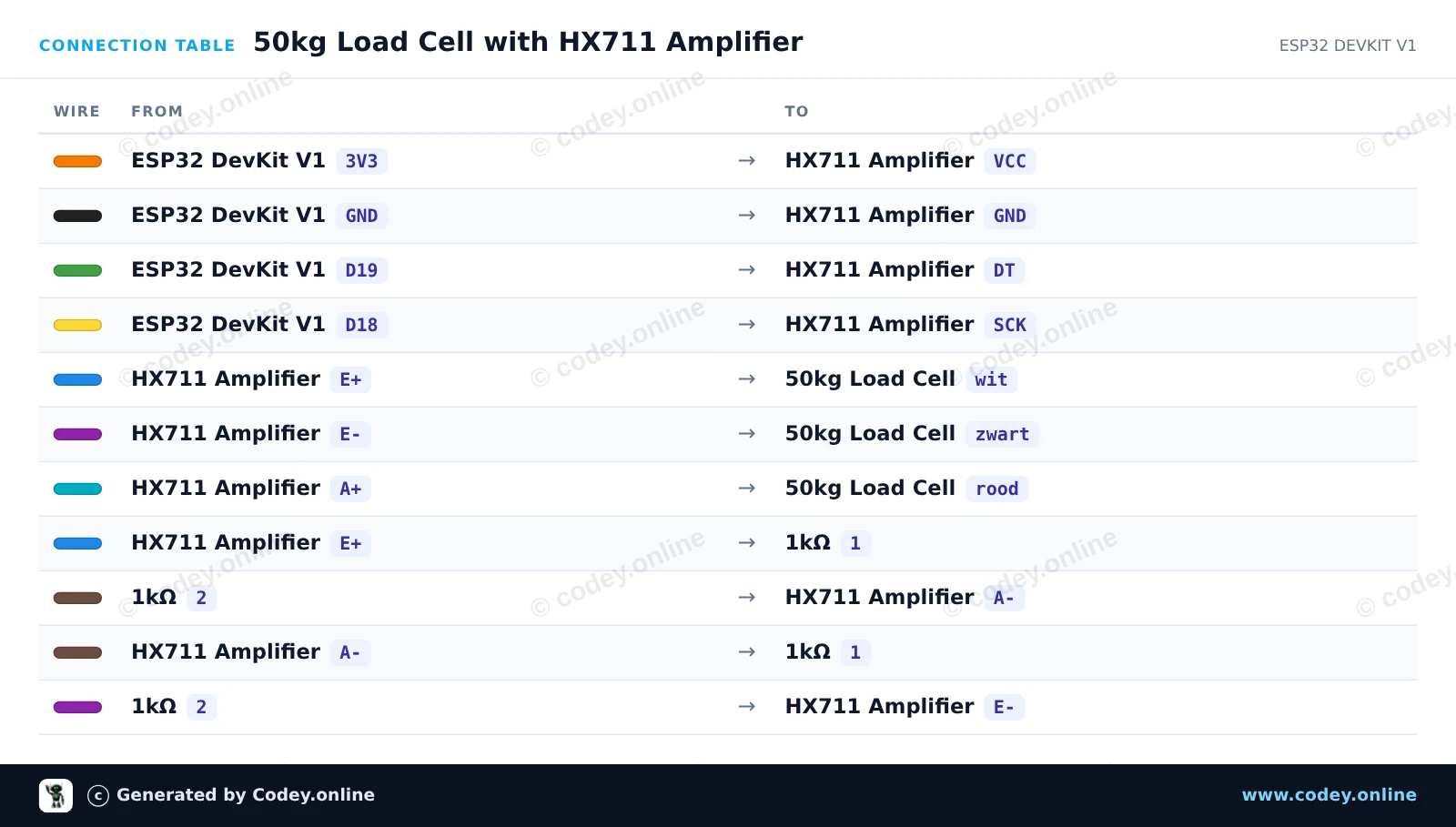
Ce projet lit les valeurs de poids d’une seule cellule de charge half-bridge 50kg à l’aide d’un amplificateur HX711 et de deux résistances de 1kΩ pour compléter le pont de Wheatstone. Connectez le circuit, téléversez le sketch et ouvrez le Serial Monitor à 115200 baud pour afficher les relevés du capteur de poids en temps réel.
/*
 * ==================================================================
 *  Generated by Codey.online  —  https://www.codey.online
 * ==================================================================
 *  Project   : 50kg Load Cell with HX711 Amplifier
 *  Board     : ESP32 DEVKIT V1 (esp32:esp32:esp32doit-devkit-v1)
 *  Parts     : 50kg Load Cell Weight Sensor
 *  Libraries : HX711 Arduino Library 0.7.5
 *
 *  Codey Online is an AI-powered browser IDE for Arduino and ESP32.
 *  Describe your project and Codey writes the code, draws the wiring
 *  diagram and uploads it to your board, straight from the browser.
 *  This code is free to use, modify and share, without warranty.
 * ==================================================================
 */

#include "HX711.h"

// Pin definitions for HX711
const int DOUT_PIN = 19;
const int SCK_PIN = 18;

HX711 scale;

void setup() {
  Serial.begin(115200);
  Serial.println("50kg Load Cell Demo");

  scale.begin(DOUT_PIN, SCK_PIN);

  Serial.println("Taring scale... Please keep sensor unloaded.");
  delay(1000);
  scale.tare();
  Serial.println("Tare complete. Ready for readings!");
}

void loop() {
  if (scale.is_ready()) {
    long rawValue = scale.get_value(5);
    Serial.print("Raw Load Cell Value: ");
    Serial.println(rawValue);
  } else {
    Serial.println("HX711 not found or not ready.");
  }

  delay(500);
}Bibliothèques nécessaires : HX711 Arduino Library 0.7.5
Wiring diagram and example code generated by Codey.online — https://www.codey.online





 English
  Nederlands
  Deutsch
  Italiano
  Español
  Suomi
Suomi  Polski
  Dansk
Dansk  Ελληνικά
  Български
  Čeština
  Hrvatski
  Aileen