SKU: OT705-D81 Numéro d’article: AA128 EAN: 8720618827890

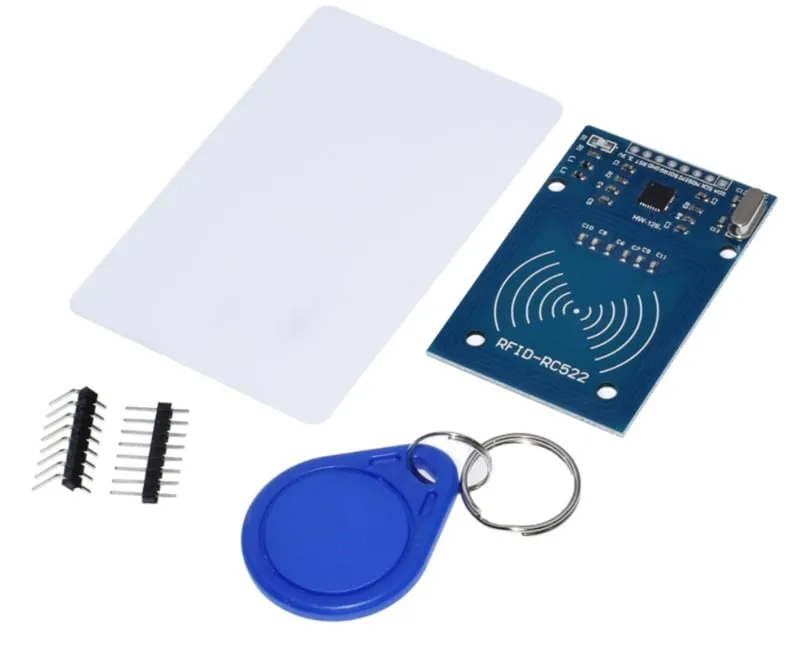
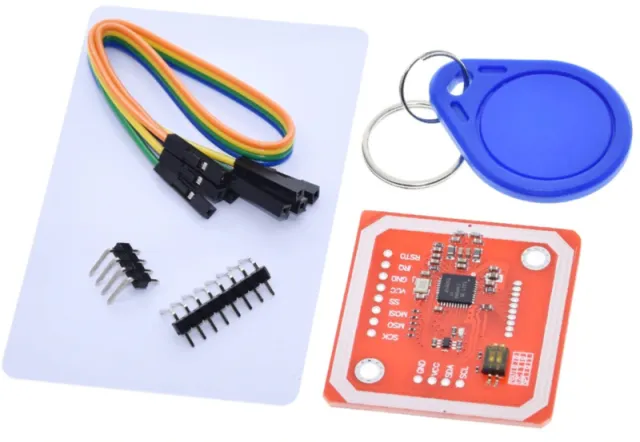
Ouvrir une porte avec votre key tag ou key card Vous pouvez le fabriquer vous-même avec ce kit RFID (NFC).
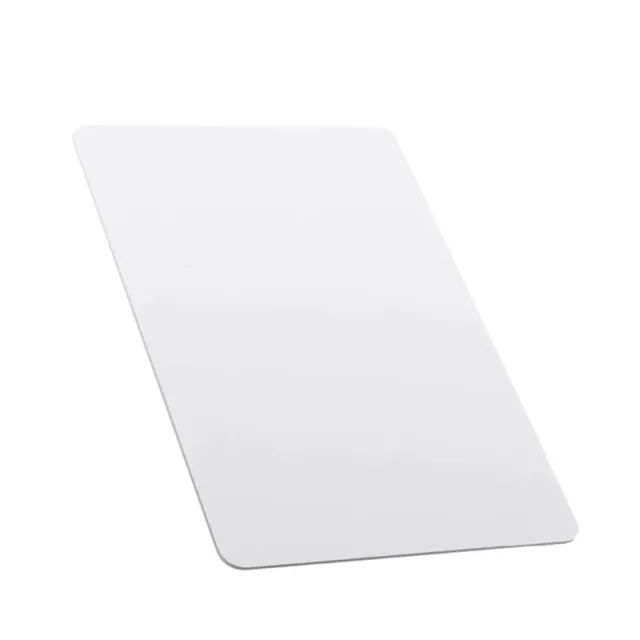
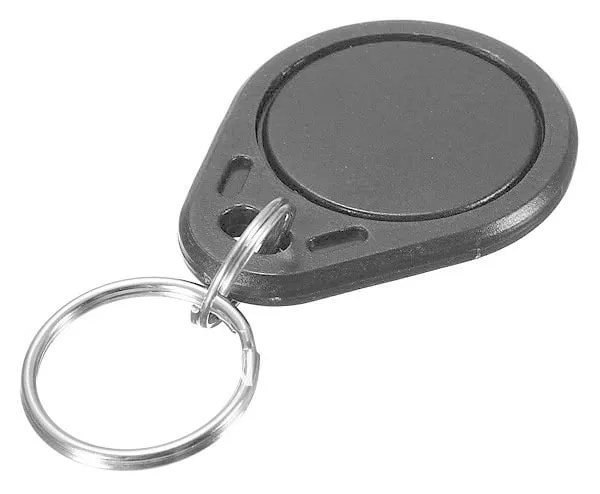
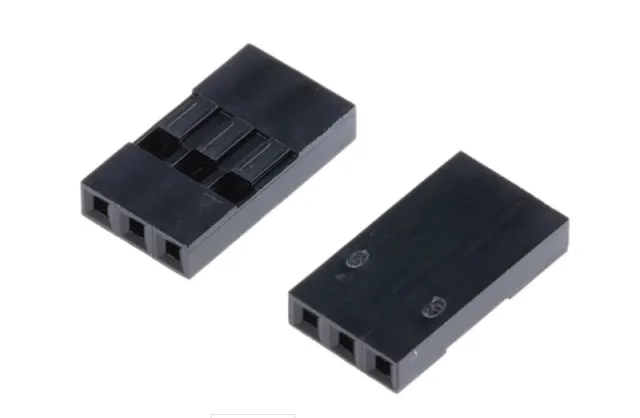
Inclus : S50 Key tag, S50 Key Card, headers standards et headers à 90 degrés.
voir ici le schéma de câblage et le code d'exemple >>>
Fréquence de fonctionnement : 13.56 MHz
Cartes prises en charge* : Mifare1 S50, Mifare1 S70, Mifare UltraLight, Mifare Pro, Mifare Desfire
Dimensions : 40mm x 60mm
Tension : 3.3V DC
Courant nominal : 13-26mA / DC 3.3V
Courant à vide : 10-13mA / DC 3.3V
Consommation en mode veille : <80uA
Courant de pointe : <30mA
Mots-clés : rfid, kit rfid, rfid-kit, set rfid, set nfc, kit nfc
Dimensions
Longueur : 6cm
Largeur : 4cm
Hauteur : 0,2cm
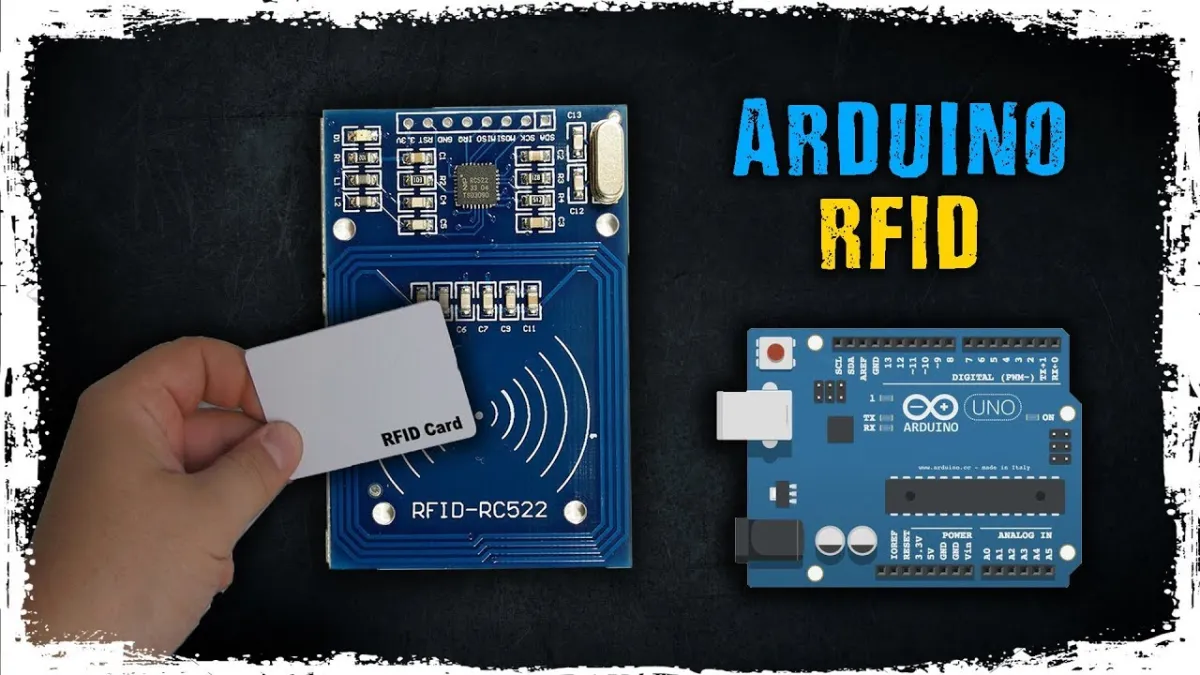
La lecture charge la vidéo depuis YouTube.
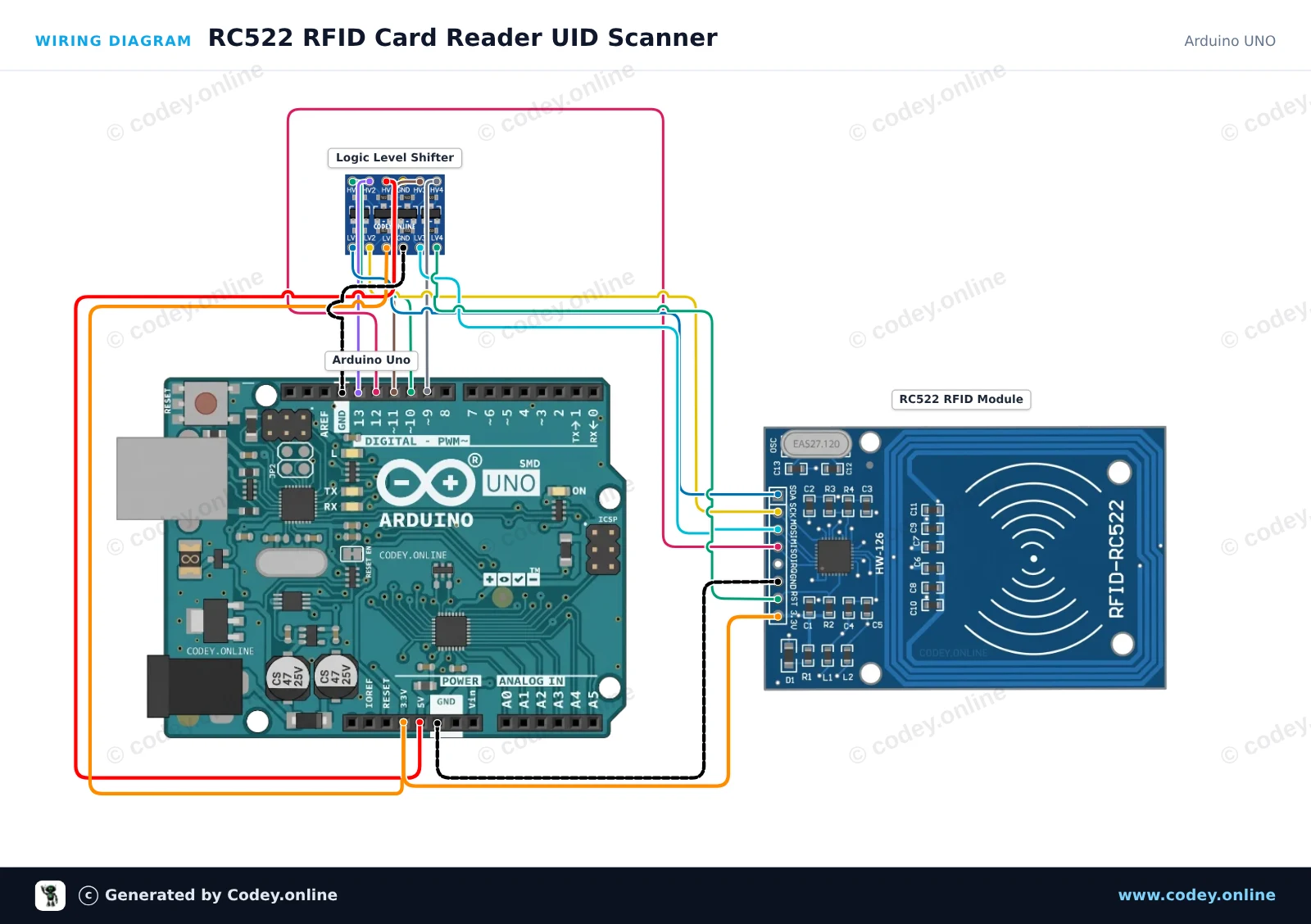
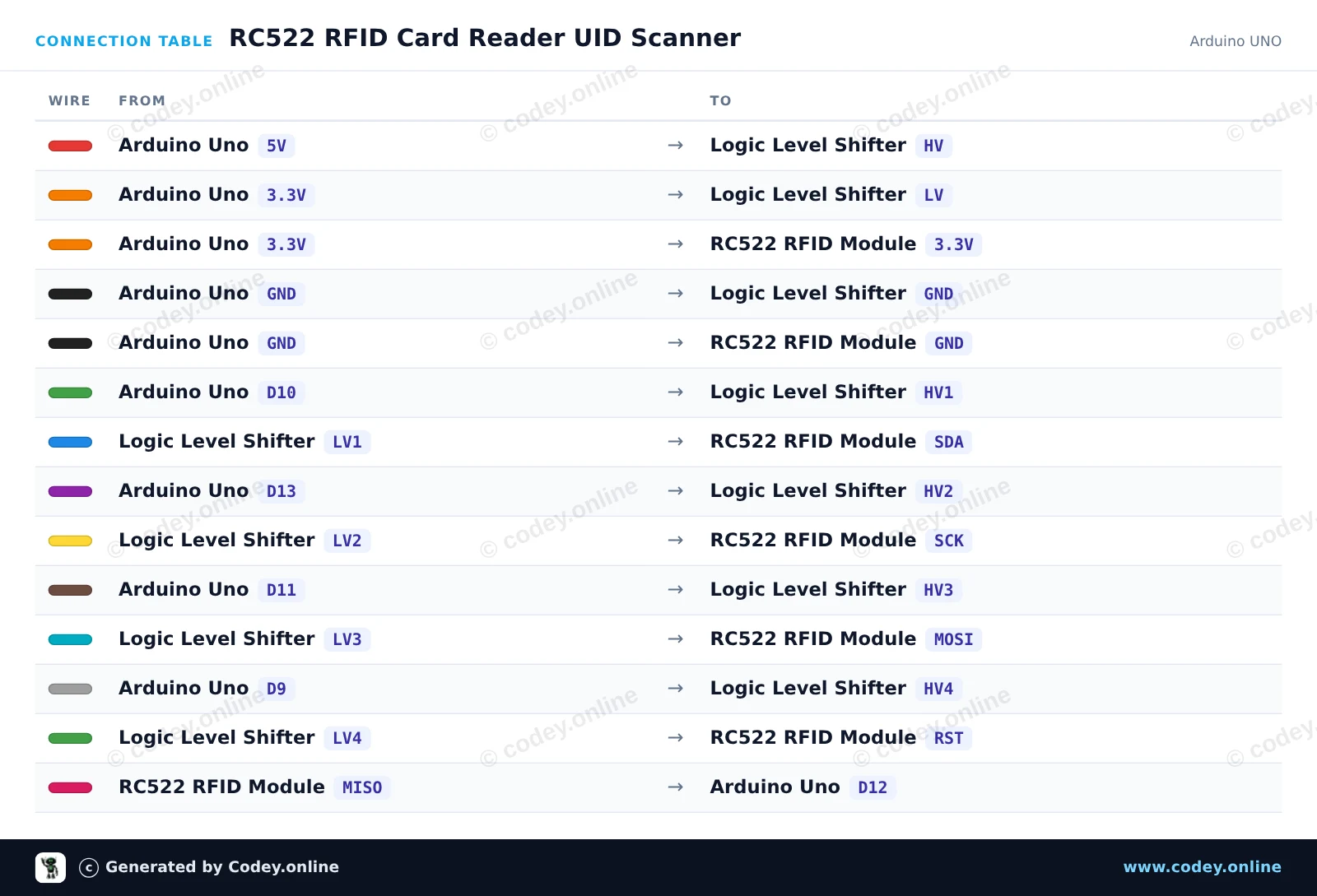
Voici comment connecter le Kit NFC RFID-RC522 MFRC522 S50 Mifare avec carte RFID Fudan et porte-clés Tag à un Arduino UNO ou à un ESP32, avec un exemple de sketch que tu peux téléverser directement.
Ce projet lit l'identifiant unique (UID) et le type de carte des cartes RFID 13.56 MHz ou des porte-clés grâce au module RC522. Un convertisseur de niveau logique externe à 4 canaux adapte en toute sécurité les signaux SPI et de contrôle 5V de l'Arduino Uno vers 3.3V. Ouvrez le Serial Monitor à 115200 baud et approchez une carte du lecteur pour afficher son UID.
/*
 * ==================================================================
 *  Generated by Codey.online  —  https://www.codey.online
 * ==================================================================
 *  Project   : RC522 RFID Card Reader UID Scanner
 *  Board     : Arduino UNO (arduino:avr:uno)
 *  Parts     : RFID RC522 Module 13.56MHz
 *  Libraries : MFRC522 1.4.12
 *
 *  Codey Online is an AI-powered browser IDE for Arduino and ESP32.
 *  Describe your project and Codey writes the code, draws the wiring
 *  diagram and uploads it to your board, straight from the browser.
 *  This code is free to use, modify and share, without warranty.
 * ==================================================================
 */

#include <SPI.h>
#include <MFRC522.h>

#define SS_PIN 10
#define RST_PIN 9

MFRC522 rfid(SS_PIN, RST_PIN);

void setup() {
  Serial.begin(115200);
  while (!Serial) {
    ; // Wait for serial port
  }

  SPI.begin();
  rfid.PCD_Init();

  Serial.println(F("RC522 RFID Reader Ready."));
  Serial.println(F("Place an RFID card/tag near the antenna..."));
}

void loop() {
  // Look for new RFID cards
  if (!rfid.PICC_IsNewCardPresent() || !rfid.PICC_ReadCardSerial()) {
    return;
  }

  Serial.print(F("Card UID: "));
  for (byte i = 0; i < rfid.uid.size; i++) {
    if (rfid.uid.uidByte[i] < 0x10) {
      Serial.print(F("0"));
    }
    Serial.print(rfid.uid.uidByte[i], HEX);
    if (i < rfid.uid.size - 1) {
      Serial.print(F(" "));
    }
  }
  Serial.println();

  // Print card type
  MFRC522::PICC_Type piccType = rfid.PICC_GetType(rfid.uid.sak);
  Serial.print(F("Card Type: "));
  Serial.println(rfid.PICC_GetTypeName(piccType));
  Serial.println();

  // Stop reading current card
  rfid.PICC_HaltA();
  rfid.PCD_StopCrypto1();
}Bibliothèques nécessaires : MFRC522 1.4.12
Wiring diagram and example code generated by Codey.online — https://www.codey.online
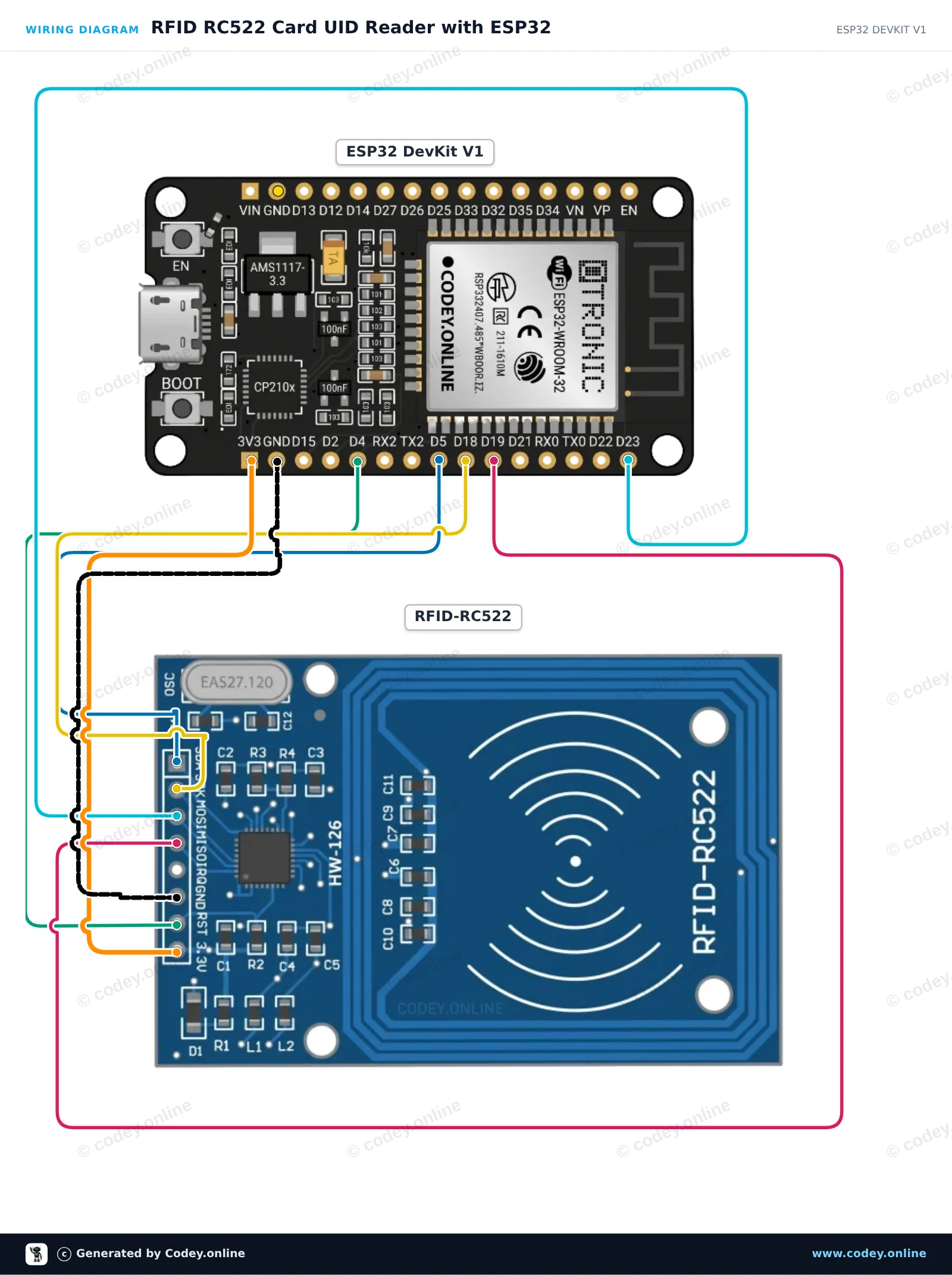
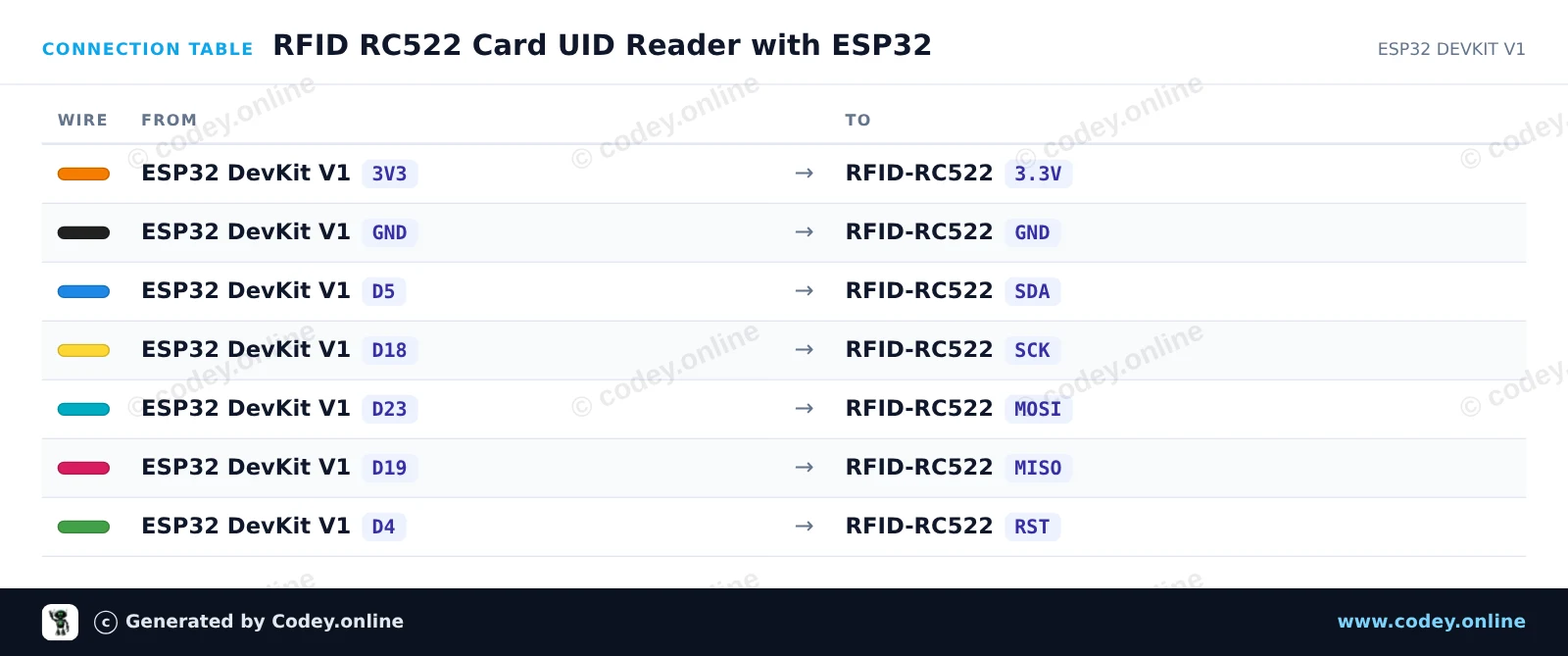
Ce projet lit les tags RFID et les cartes à puce à l’aide du module RFID RC522 13.56 MHz via SPI. Lorsqu’une carte ou un porte-clés est approché du lecteur, son Unique Identifier (UID) et le type de carte sont affichés dans le Serial Monitor.
/*
 * ==================================================================
 *  Generated by Codey.online  —  https://www.codey.online
 * ==================================================================
 *  Project   : RFID RC522 Card UID Reader with ESP32
 *  Board     : ESP32 DEVKIT V1 (esp32:esp32:esp32doit-devkit-v1)
 *  Parts     : RFID RC522 Module 13.56MHz
 *  Libraries : MFRC522 1.4.12
 *
 *  Codey Online is an AI-powered browser IDE for Arduino and ESP32.
 *  Describe your project and Codey writes the code, draws the wiring
 *  diagram and uploads it to your board, straight from the browser.
 *  This code is free to use, modify and share, without warranty.
 * ==================================================================
 */

#include <SPI.h>
#include <MFRC522.h>

#define SS_PIN  5
#define RST_PIN 4

MFRC522 rfid(SS_PIN, RST_PIN);

void setup() {
  Serial.begin(115200);
  while (!Serial);

  SPI.begin();     // Initialize SPI bus
  rfid.PCD_Init(); // Initialize MFRC522 reader

  Serial.println("--- RFID RC522 Initialized ---");
  Serial.println("Hold an RFID card or key fob near the reader...");
}

void loop() {
  // Look for new RFID cards
  if (!rfid.PICC_IsNewCardPresent()) {
    return;
  }

  // Select one of the cards
  if (!rfid.PICC_ReadCardSerial()) {
    return;
  }

  // Print Card UID
  Serial.print("Card UID: ");
  for (byte i = 0; i < rfid.uid.size; i++) {
    if (rfid.uid.uidByte[i] < 0x10) {
      Serial.print(" 0");
    } else {
      Serial.print(" ");
    }
    Serial.print(rfid.uid.uidByte[i], HEX);
  }
  Serial.println();

  // Print PICC type
  MFRC522::PICC_Type piccType = rfid.PICC_GetType(rfid.uid.sak);
  Serial.print("Card Type: ");
  Serial.println(rfid.PICC_GetTypeName(piccType));

  // Halt PICC and stop encryption
  rfid.PICC_HaltA();
  rfid.PCD_StopCrypto1();

  delay(1000);
}Bibliothèques nécessaires : MFRC522 1.4.12
Wiring diagram and example code generated by Codey.online — https://www.codey.online










 English
  Nederlands
  Deutsch
  Italiano
  Español
  Suomi
Suomi  Polski
  Dansk
Dansk  Ελληνικά
  Български
  Čeština
  Hrvatski
  Aileen