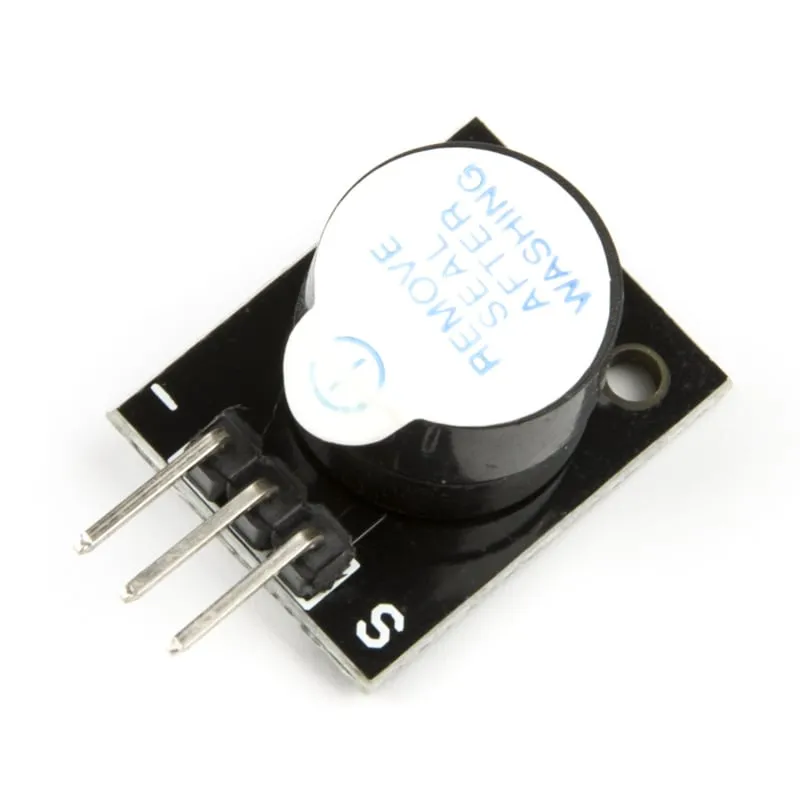
SKU: OT2001-D123 Numéro d’article: AB011 EAN: 8598008139881

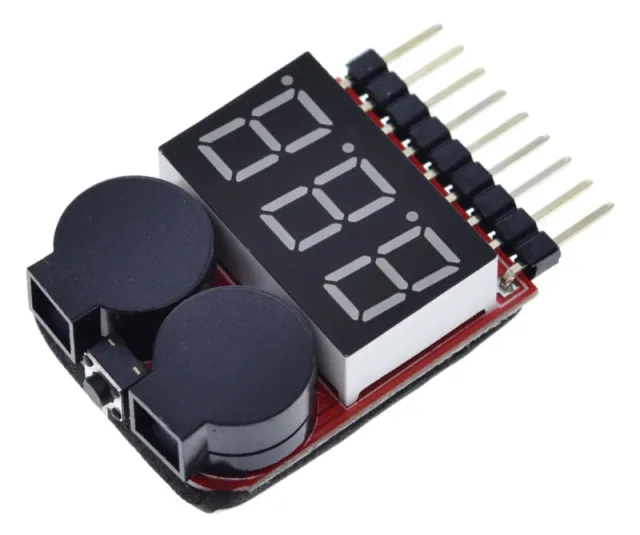
Un module buzzer actif pour votre projet Arduino.
Dimensions
Longueur : 1,9 cm
Largeur : 1,5 cm
Hauteur : 1,2 cm
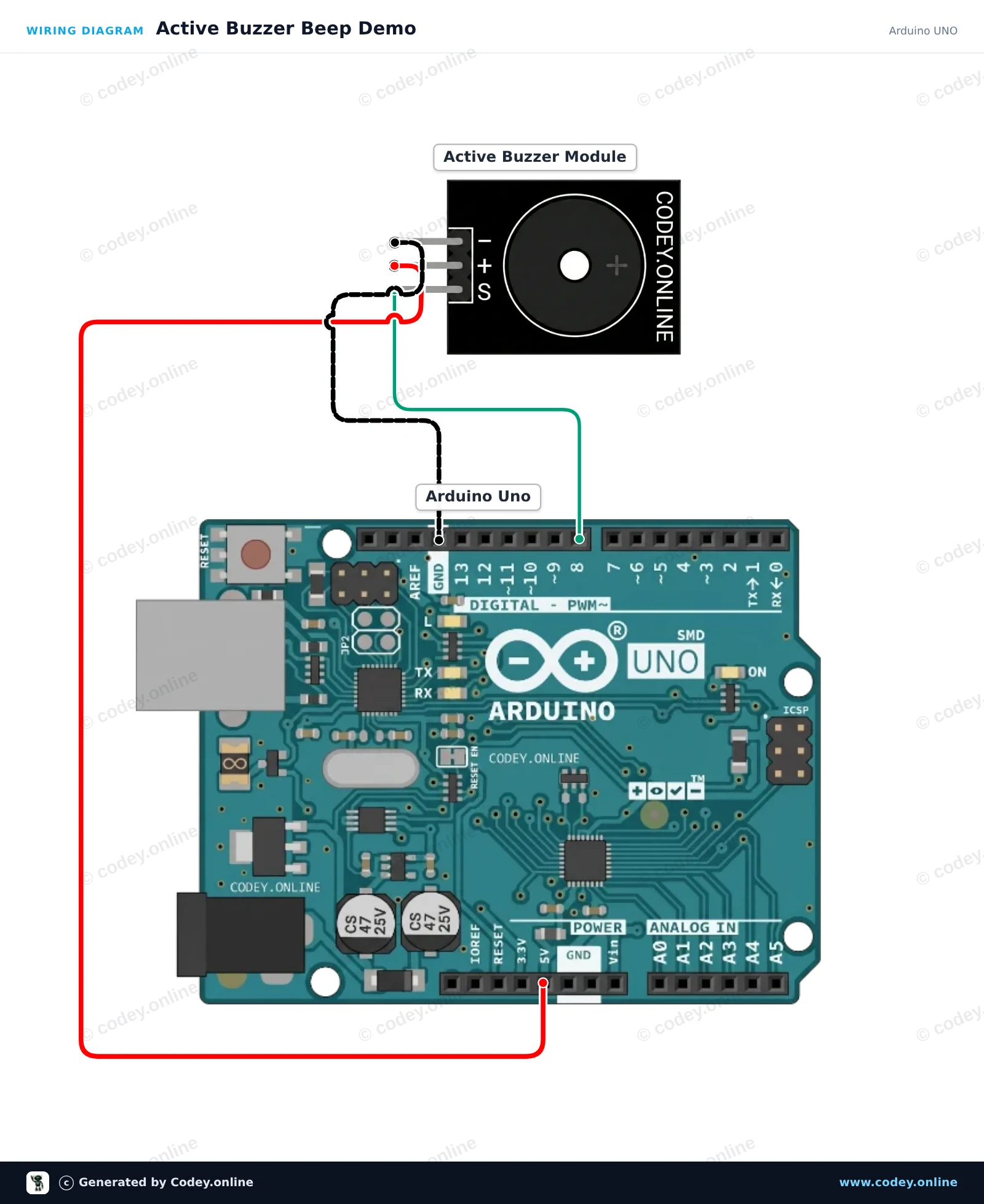
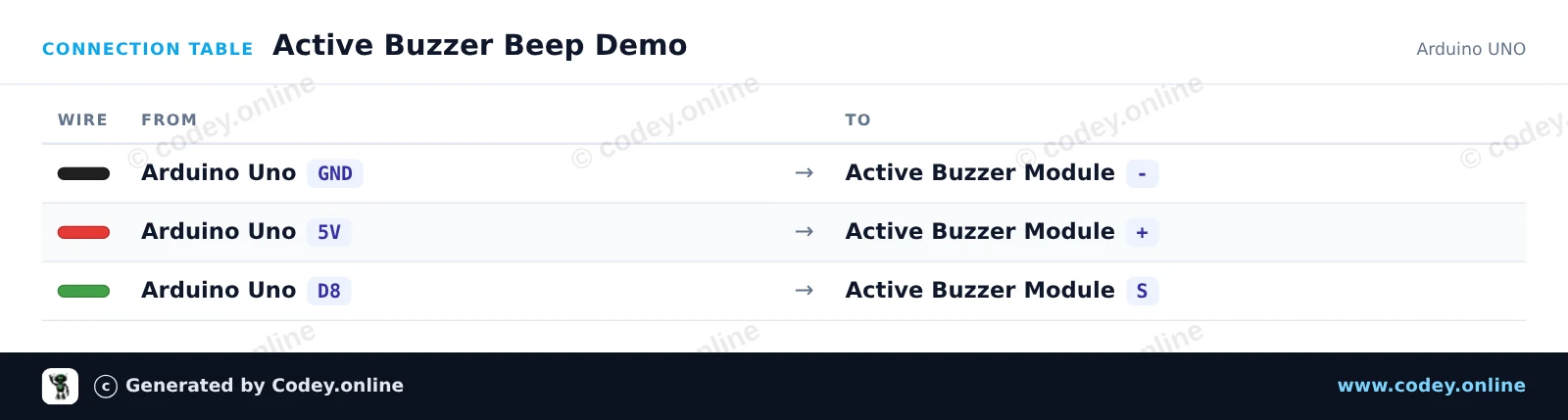
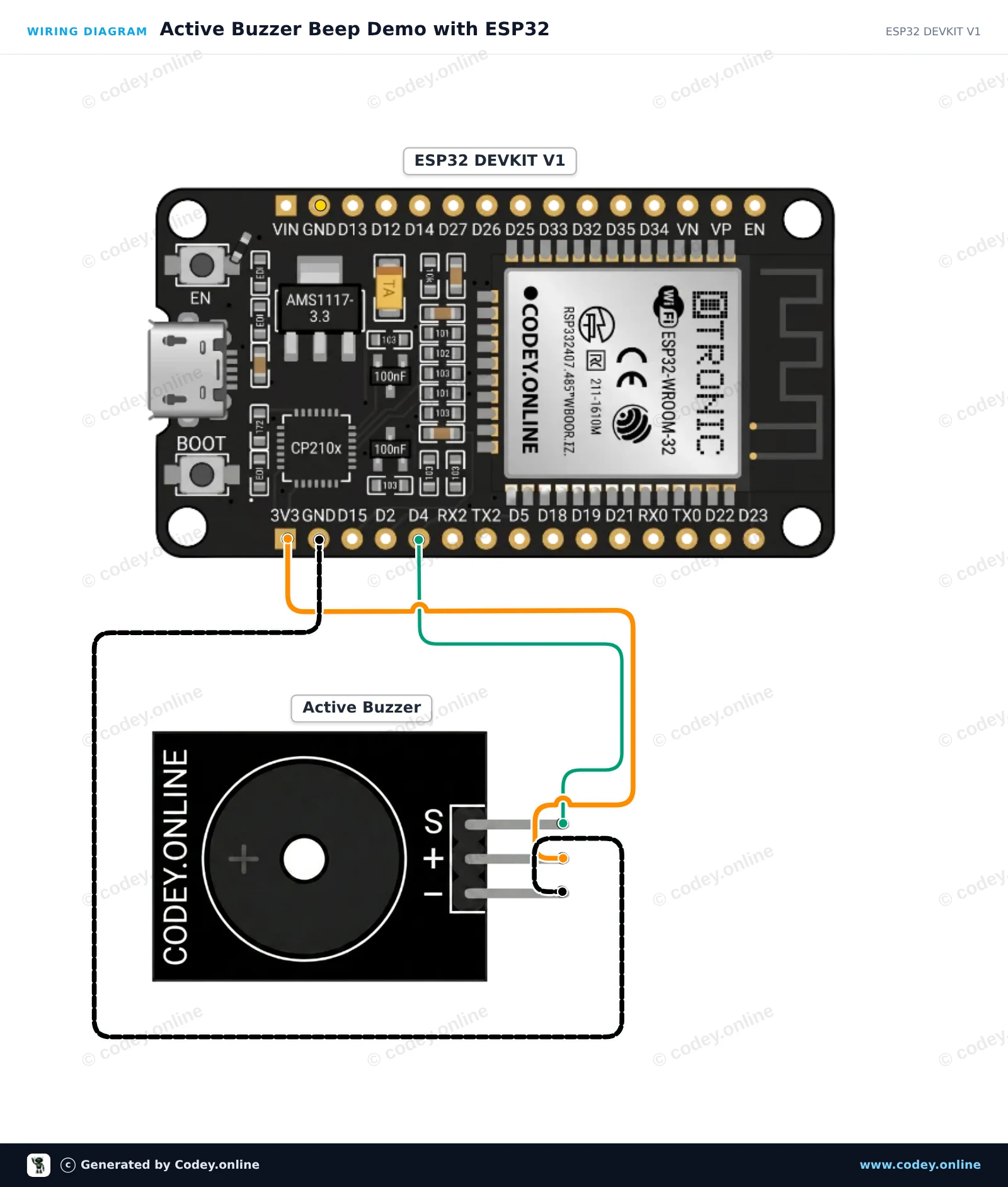
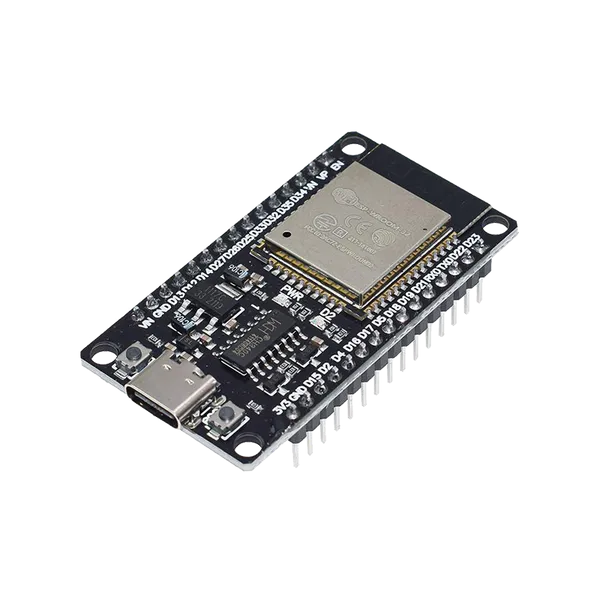
Voici comment connecter le Module de buzzer active à un Arduino UNO ou à un ESP32, avec un exemple de sketch que tu peux téléverser directement.
Ce projet montre comment contrôler un module active buzzer avec un Arduino Uno. L'active buzzer émet un son à fréquence fixe chaque fois que la broche de signal passe à l'état HIGH. Le code allume et éteint le buzzer à répétition pour créer un simple motif d'alerte sonore.
/*
 * ==================================================================
 *  Generated by Codey.online  —  https://www.codey.online
 * ==================================================================
 *  Project   : Active Buzzer Beep Demo
 *  Board     : Arduino UNO (arduino:avr:uno)
 *  Parts     : Active Buzzer Module
 *  Libraries : none (built-in)
 *
 *  Codey Online is an AI-powered browser IDE for Arduino and ESP32.
 *  Describe your project and Codey writes the code, draws the wiring
 *  diagram and uploads it to your board, straight from the browser.
 *  This code is free to use, modify and share, without warranty.
 * ==================================================================
 */

const int BUZZER_PIN = 8;

void setup() {
  pinMode(BUZZER_PIN, OUTPUT);
  Serial.begin(115200);
  Serial.println(F("Active Buzzer Demo Ready"));
}

void loop() {
  // Turn the buzzer on
  Serial.println(F("Buzzer ON"));
  digitalWrite(BUZZER_PIN, HIGH);
  delay(200);

  // Turn the buzzer off
  Serial.println(F("Buzzer OFF"));
  digitalWrite(BUZZER_PIN, LOW);
  delay(800);
}Wiring diagram and example code generated by Codey.online — https://www.codey.online
Ce projet montre comment contrôler un module de buzzer active à l'aide d'un ESP32. Le sketch allume et éteint le buzzer selon un motif de bip répétitif tout en affichant l'état actuel dans le Serial Monitor.
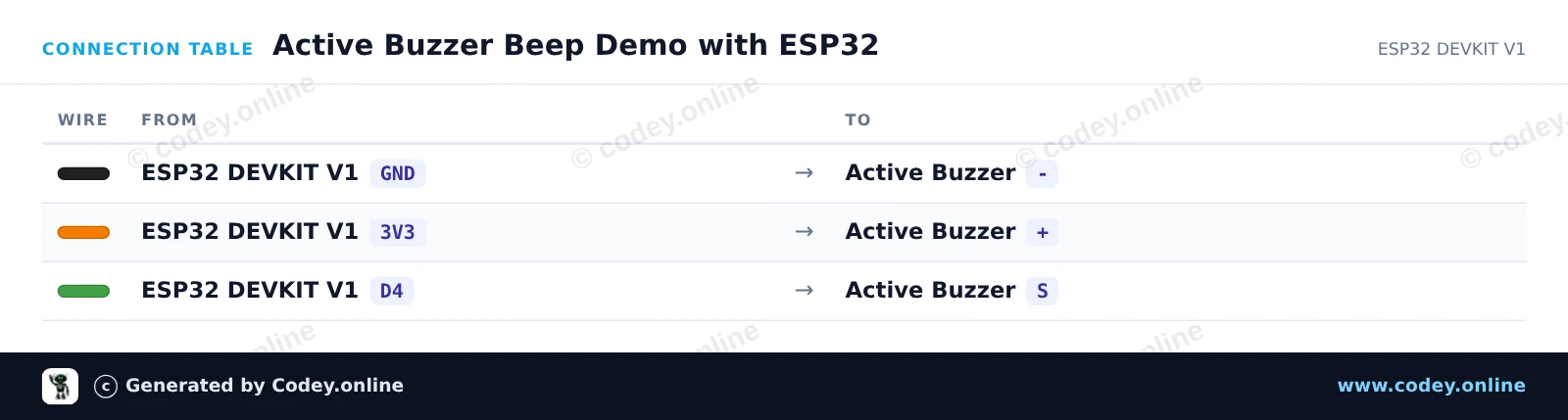
/*
 * ==================================================================
 *  Generated by Codey.online  —  https://www.codey.online
 * ==================================================================
 *  Project   : Active Buzzer Beep Demo with ESP32
 *  Board     : ESP32 DEVKIT V1 (esp32:esp32:esp32doit-devkit-v1)
 *  Parts     : Active Buzzer Module
 *  Libraries : none (built-in)
 *
 *  Codey Online is an AI-powered browser IDE for Arduino and ESP32.
 *  Describe your project and Codey writes the code, draws the wiring
 *  diagram and uploads it to your board, straight from the browser.
 *  This code is free to use, modify and share, without warranty.
 * ==================================================================
 */

// Active Buzzer Demo for ESP32 DEVKIT V1
// Connect the buzzer signal pin to GPIO 4 (D4 on silkscreen)

const int BUZZER_PIN = 4;

void setup() {
  Serial.begin(115200);
  pinMode(BUZZER_PIN, OUTPUT);
  digitalWrite(BUZZER_PIN, LOW);
  Serial.println("Active Buzzer Demo Ready");
}

void loop() {
  // Turn the buzzer ON
  Serial.println("Buzzer ON");
  digitalWrite(BUZZER_PIN, HIGH);
  delay(200);

  // Turn the buzzer OFF
  Serial.println("Buzzer OFF");
  digitalWrite(BUZZER_PIN, LOW);
  delay(200);

  // Second beep
  Serial.println("Buzzer ON");
  digitalWrite(BUZZER_PIN, HIGH);
  delay(200);

  // Pause between beep sequences
  Serial.println("Buzzer OFF (Pause)");
  digitalWrite(BUZZER_PIN, LOW);
  delay(1000);
}Wiring diagram and example code generated by Codey.online — https://www.codey.online





 English
  Nederlands
  Deutsch
  Italiano
  Español
  Suomi
Suomi  Polski
  Dansk
Dansk  Ελληνικά
  Български
  Čeština
  Hrvatski
  Aileen