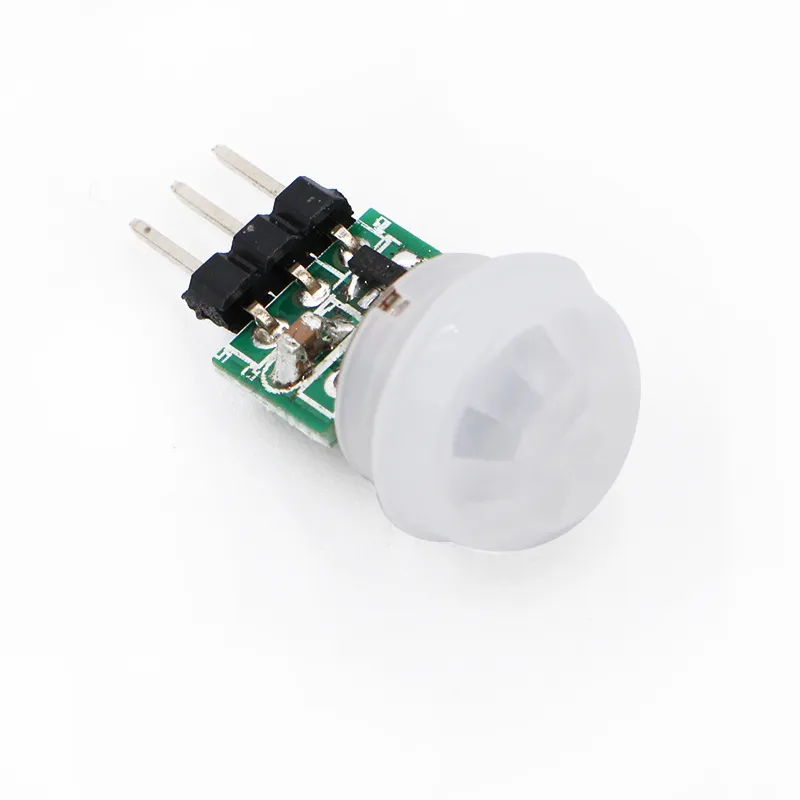
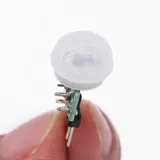
SKU: OT2047-B81 Numéro d’article: NB111 EAN: 4765791479546

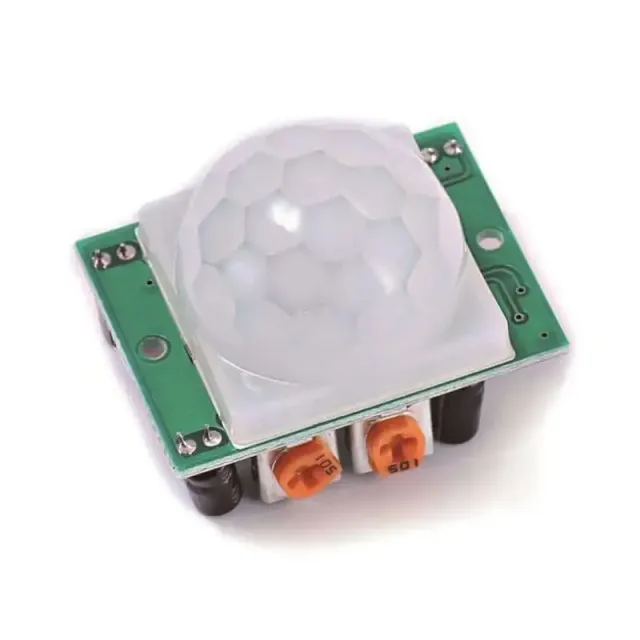
Le petit frère du capteur PIR classique, la tête a un diamètre de seulement 1,1 cm
Broches :
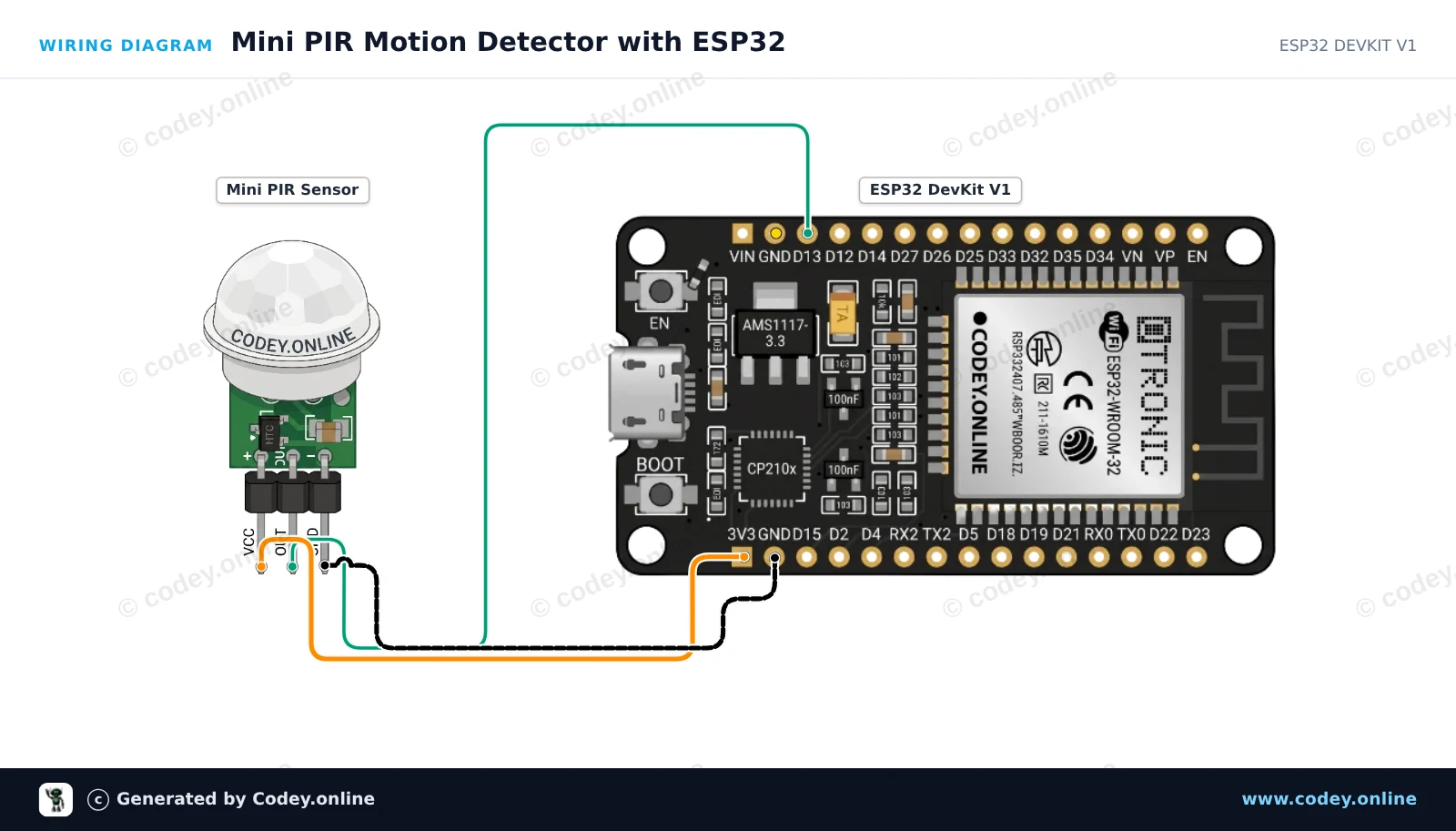
- Vin (indiqué par "+" et/ou "U1")
- Out (broche centrale)
- GND/masse/min (indiqué par "-" et/ou "C1")
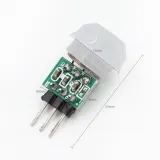
Dimensions
Longueur : 2,8cm
Largeur : 1,4cm
Hauteur : 1,4cm
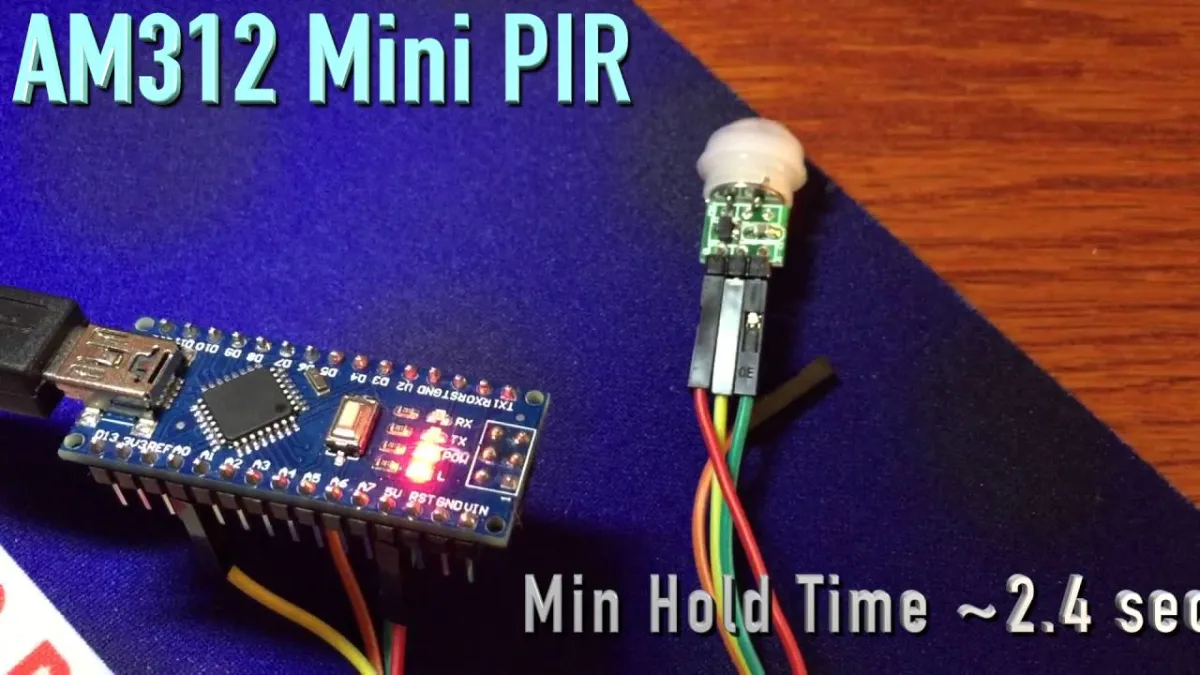
La lecture charge la vidéo depuis YouTube.
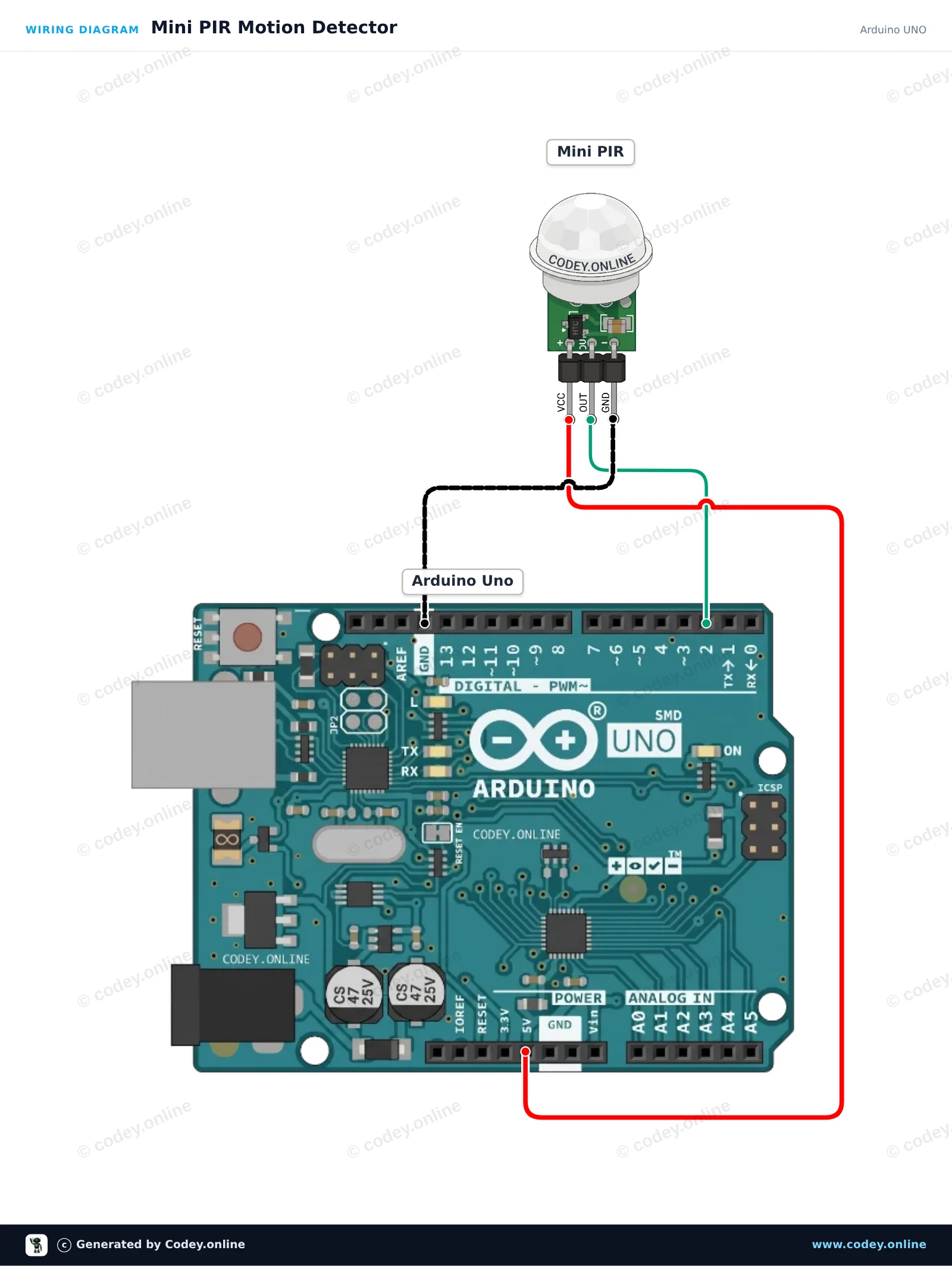
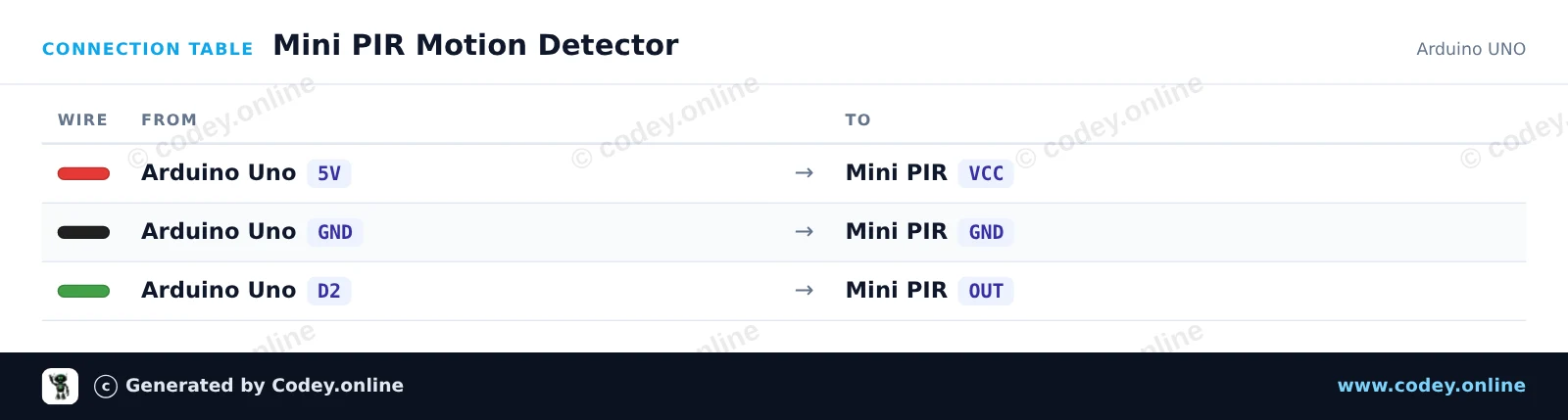
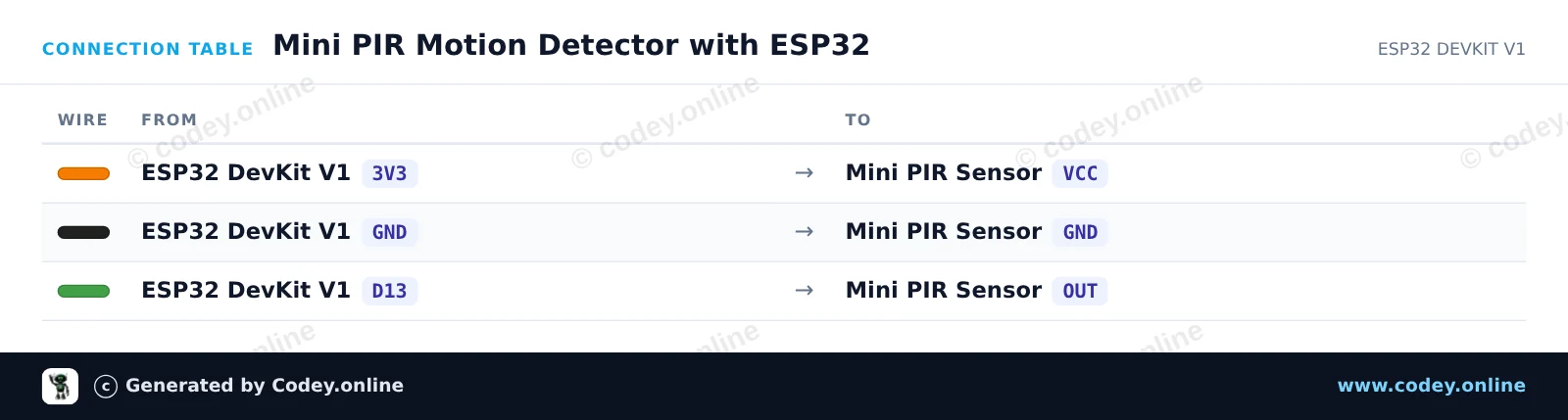
Voici comment connecter le Mini capteur de mouvement infrarouge pyroelectrique PIR à un Arduino UNO ou à un ESP32, avec un exemple de sketch que tu peux téléverser directement.
Ce projet détecte les mouvements à l'aide d'un capteur PIR mini et déclenche la LED intégrée de l'Arduino. Lorsqu'un mouvement est détecté, la LED s'allume et une notification est affichée dans le Serial Monitor. Après la mise sous tension, laissez au capteur un court temps de chauffe pour se stabiliser.
/*
 * ==================================================================
 *  Generated by Codey.online  —  https://www.codey.online
 * ==================================================================
 *  Project   : Mini PIR Motion Detector
 *  Board     : Arduino UNO (arduino:avr:uno)
 *  Parts     : Mini PIR
 *  Libraries : none (built-in)
 *
 *  Codey Online is an AI-powered browser IDE for Arduino and ESP32.
 *  Describe your project and Codey writes the code, draws the wiring
 *  diagram and uploads it to your board, straight from the browser.
 *  This code is free to use, modify and share, without warranty.
 * ==================================================================
 */

// Pin definitions
const int pirPin = 2;
const int ledPin = 13;

void setup() {
  pinMode(pirPin, INPUT);
  pinMode(ledPin, OUTPUT);

  Serial.begin(115200);
  Serial.println(F("Mini PIR Sensor Initializing..."));
  Serial.println(F("Waiting 5 seconds for sensor to settle..."));
  delay(5000);
  Serial.println(F("Ready! Monitoring for motion..."));
}

void loop() {
  int motionDetected = digitalRead(pirPin);

  if (motionDetected == HIGH) {
    digitalWrite(ledPin, HIGH);
    Serial.println(F("Motion detected!"));
  } else {
    digitalWrite(ledPin, LOW);
    Serial.println(F("Scanning... No motion."));
  }

  delay(300);
}Wiring diagram and example code generated by Codey.online — https://www.codey.online
Ce projet détecte les mouvements humains à l'aide d'un capteur de mouvement Mini PIR. Lorsqu'un mouvement est détecté, l'ESP32 allume la LED intégrée (GPIO 2) et enregistre un message dans le Serial Monitor. Alimenter le capteur en 3.3V garantit des niveaux de signal sûrs pour l'entrée de l'ESP32.
/*
 * ==================================================================
 *  Generated by Codey.online  —  https://www.codey.online
 * ==================================================================
 *  Project   : Mini PIR Motion Detector with ESP32
 *  Board     : ESP32 DEVKIT V1 (esp32:esp32:esp32doit-devkit-v1)
 *  Parts     : Mini PIR
 *  Libraries : none (built-in)
 *
 *  Codey Online is an AI-powered browser IDE for Arduino and ESP32.
 *  Describe your project and Codey writes the code, draws the wiring
 *  diagram and uploads it to your board, straight from the browser.
 *  This code is free to use, modify and share, without warranty.
 * ==================================================================
 */

// Mini PIR Motion Detection with ESP32

const int PIR_PIN = 13;     // Connected to Mini PIR OUT
const int LED_PIN = 2;      // ESP32 onboard LED

int lastState = LOW;

void setup() {
  Serial.begin(115200);
  pinMode(PIR_PIN, INPUT);
  pinMode(LED_PIN, OUTPUT);
  digitalWrite(LED_PIN, LOW);

  Serial.println("PIR Sensor Initializing... Please wait 10-30s for sensor warm-up.");
}

void loop() {
  int currentState = digitalRead(PIR_PIN);

  if (currentState != lastState) {
    lastState = currentState;
    if (currentState == HIGH) {
      digitalWrite(LED_PIN, HIGH);
      Serial.println("Motion detected!");
    } else {
      digitalWrite(LED_PIN, LOW);
      Serial.println("Motion ended.");
    }
  }

  delay(50);
}Wiring diagram and example code generated by Codey.online — https://www.codey.online





 English
  Nederlands
  Deutsch
  Italiano
  Español
  Suomi
Suomi  Polski
  Dansk
Dansk  Ελληνικά
  Български
  Čeština
  Hrvatski
  Aileen